Locked out: sign-in blocked after too many failed attempts
When the sign-in page shows "Too many failed attempts. Try again in up to 15 minutes.", Nanitor has temporarily blocked sign-in attempts and you are locked out. This article explains why it happens and how to get back in. The limit is available from Nanitor 7.3.0.
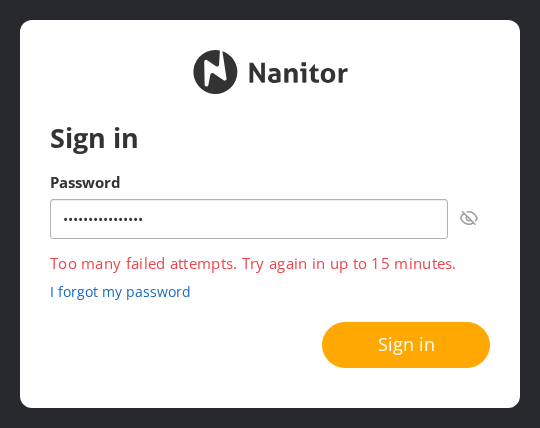
Why sign-in is blocked
Without Cloudflare Turnstile, which is not configured by default, Nanitor blocks sign-in after 10 failed attempts from the same IP address or against the same account. The block lasts until 15 minutes have passed since the last failed attempt. With Turnstile configured, a CAPTCHA is required after 3 failed attempts, and the Sign in button is disabled until the CAPTCHA is solved. Solving it reduces the failed attempt count to one, not to zero, so users normally see the CAPTCHA, not the block.
Nanitor keeps one counter per IP address and one counter per account, so either one can trigger the block. The following count as failed attempts:
- A wrong password.
- An unknown user or an inactive account.
- A failed Active Directory (domain) sign-in.
- An email address that is not registered in Nanitor, entered at the email step of the sign-in page.
A sign-in is recorded as successful after the password step, before two-factor authentication. An incorrect two-factor code does not count toward the block and is not recorded in the Activity Log. System API requests that use an API key are not counted and are not blocked.
While the block is active, every attempt is rejected, including one with the correct password. Rejected attempts do not extend the wait. The number of minutes in the message follows the configured time window.
Users behind one IP address share a counter
If many users reach Nanitor through the same IP address, for example through an office NAT gateway, a proxy, or a shared SOC or service-desk network, their failed attempts count towards the same IP limit. One user's mistakes can then block everyone behind that address, including users who sign in with SAML single sign-on, because the email step of the sign-in page is also blocked.
If you place your own load balancer or reverse proxy in front of the Nanitor server, it must pass the client IP address in the X-Forwarded-For or X-Real-IP header. If it does not, Nanitor sees all sign-in attempts as coming from the proxy's IP address, so failed attempts by any user count toward one shared block.
Anyone can block an account
Without Turnstile, anyone who knows a user's email address can keep that account blocked by sending failed attempts, because there is one counter per account. This includes users who sign in with single sign-on or Active Directory. Plan another way to sign in for critical administrator accounts.
How to get access again
- Stop trying to sign in until the block has ended.
- Wait for the time shown in the message (15 minutes by default), counted from your last failed attempt, then sign in again. A successful sign-in resets the counters.
There is no setting in the Nanitor web interface that lifts the block earlier.
Cloud customers
Wait for the block to expire. If you cannot wait, contact Nanitor support.
On-premises customers
Restarting the nanitor-ui-api service (sudo systemctl restart nanitor-ui-api.service) clears all counters and lifts every block immediately. Restarting does not sign users out.
Change the limit on-premises
Administrators of on-premises installations can change the number of attempts and the wait time:
- Open
/etc/nanitor/nanitor_common.inion the Nanitor server. -
Add a
[bruteforce]section. The installed file does not contain this section.[bruteforce] max_failures = 10 attempt_ttl = 900max_failuresis the number of failed attempts that triggers the block.attempt_ttlis the time in seconds after the last failed attempt at which the counters reset. It sets both how long a block lasts and how long failed attempts keep adding up. -
Restart the
nanitor-ui-apiservice:sudo systemctl restart nanitor-ui-api.service
Setting either value to 0 or lower does not disable the protection. If max_failures is 0 or lower, Nanitor uses 3. If attempt_ttl is 0 or lower, Nanitor uses 3600 seconds (1 hour). Both are stricter than the defaults, so use positive values. If Turnstile is configured and the resulting max_failures is 3 or lower, Nanitor uses 8.
Review sign-ins in the Activity Log
Successful sign-ins, both local and Active Directory, and failed local sign-ins of existing users are recorded in the Activity Log. Events are recorded in every organization the user is a member of, including through an inheritable role in a parent organization. Sign-ins of users with the Manage System permission are recorded in every organization. SAML single sign-on sign-ins, failed Active Directory sign-ins, attempts for unknown users, and blocked attempts are not recorded.
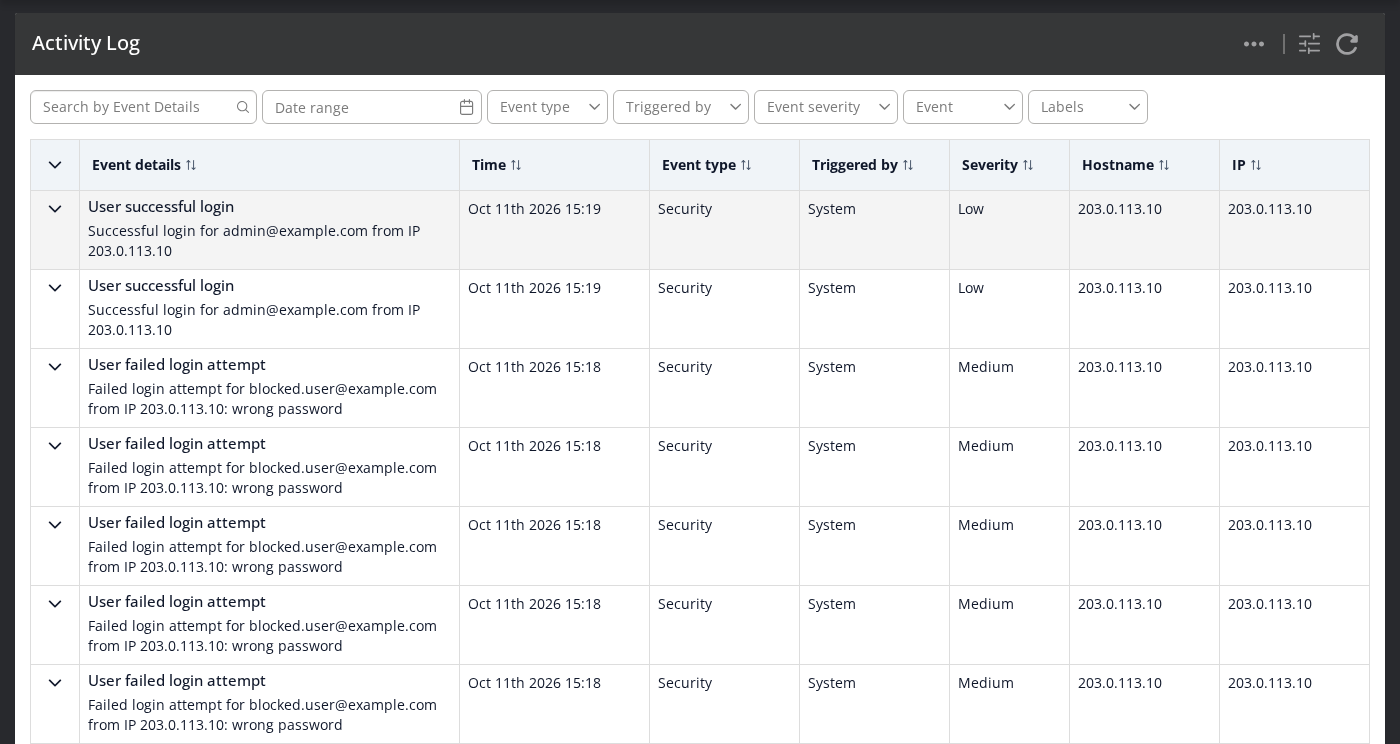
The Activity Log is therefore not a complete record of sign-in attempts. For Active Directory and SAML users, use your domain controller or identity provider logs.
For details on the limit, see Brute-force login protection in the User Guide.